
AlgoWay Trade Copier: Copy TradingView, Telegram and MT5 Trades Across Accounts
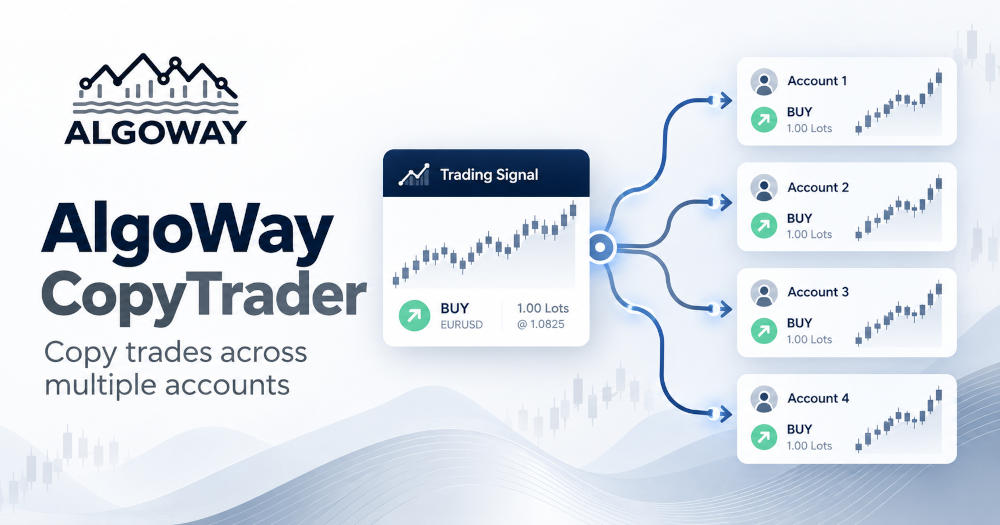
AlgoWay Trade Copier connects trading signals with execution accounts without requiring every broker or exchange to speak the same trading language. A signal may originate in TradingView, a Telegram channel, MetaTrader or cTrader, while the destination can be a different supported platform. The task is not merely to repeat the words “BUY” and “SELL.” A useful copier must translate the instrument, quantity and position rules into instructions the receiving account can actually execute.
That is why AlgoWay separates the incoming signal from its execution configuration. Through webhook settings and destination integrations, traders can maintain different symbol mappings, quantity multipliers, supported position modes and, on applicable exchanges, leverage preferences. One strategy can therefore feed accounts with different market conventions without demanding that every account use the same lot size or broker-specific symbol.
Originally published May 12, 2026 · Updated October 8, 2026 · By AlgoWay
What Can You Copy with AlgoWay?
AlgoWay is built around automated trade instructions from multiple sources. A TradingView strategy can send structured webhook alerts. Telegram signal messages can be interpreted and routed through the Telegram copier. Supported MetaTrader and cTrader connections provide further copying and automation workflows. The receiving account may live on a forex broker, a futures platform, a prop trading platform or a crypto exchange, depending on the specific source-to-destination integration.
| Signal source | Typical workflow | What matters when copying |
|---|---|---|
| TradingView | Strategy or indicator alert to one or more trading accounts | JSON actions, ticker mapping, order quantity and webhook routing |
| Telegram | Signal channel to a configured trading destination | Parsing entry, stop-loss, take-profit and the intended instrument |
| MetaTrader | Trading activity or strategy signals to supported destinations | Lots, contract units, symbol suffixes and position model |
| cTrader | Automated signals and compatible cross-platform copying | Broker instrument names, account mode and destination execution rules |
| Custom webhook | Python strategy or external application sending trade commands | Valid JSON and platform-specific order fields |
These are different workflows, not a claim that every imaginable source and destination combination has identical features. The available order types, SL/TP behavior and execution modes depend on the selected integration and account.
TradingView Trade Copying Without Rebuilding the Strategy
TradingView is often the starting point for automated copying. The strategy already knows when to enter or exit. AlgoWay handles sending that decision to the selected destination through a webhook. A trader does not need to rewrite Pine Script logic for each broker's API simply to deliver the same direction to different platforms.
A strategy can send an alert containing the ticker, action and quantity. When one strategy must reach several execution accounts, AlgoWay also provides a separate webhook distribution feature called Clone Mode. It copies an incoming TradingView webhook instruction to enabled additional webhooks, each with its own execution settings. See the step-by-step Clone Mode guide for configuration, limitations and testing. This overview focuses on the wider trade copying capabilities rather than the Clone Mode switches.
Telegram Copy Trading: From Signal Messages to Orders
Telegram trade copying begins with a different problem. A TradingView alert can be structured JSON, but a message in a trading channel may read “BUY XAUUSD,” followed by an entry zone, stop-loss and several profit targets. AlgoWay's Telegram signal copier is designed to turn supported signal messages into executable instructions for the user's connected trading destination, without requiring the trader to copy every signal by hand.
For example, a channel may publish a gold setup with an entry price and three take-profit levels. The destination might be MetaTrader 5, where the instrument is listed under a broker-specific symbol, or a supported crypto/futures account with entirely different quantity rules. The user must configure the appropriate destination and trading risk. A correctly interpreted source signal still needs valid platform parameters before execution.
Telegram copying also needs more care than copying a structured alert: message edits, incomplete entries, multiple target formats and ambiguous signals can affect interpretation. An automated copier should not be treated as proof that every message is tradable. The AlgoWay AI Telegram signal copier guide explains the Telegram workflow and its setup in detail.
MT5 and cTrader Trade Copying Across Platforms
MetaTrader 5 and cTrader use their own concepts for positions, lots, instruments and account modes. AlgoWay supports MT5 automation through its expert advisor and provides cTrader connectivity through supported integrations. These connections let traders build copying workflows that are not tied exclusively to TradingView or Telegram.
Consider an MT5-originated instruction that refers to a forex symbol with a broker suffix. A connected destination may call that market by a different name, or it may use contracts instead of lots. The important work happens in the mapping and size configuration, not in displaying a second BUY button. For a concrete cross-platform example, see the cTrader-to-MetaTrader 5 copier manual.
Independent Webhook Settings Are the Real Advantage
Two trading accounts can follow the same market idea without having identical balances, lot rules or position accounting. AlgoWay's webhook setup provides a separate configuration for the selected execution destination. Depending on the platform, the available controls include Symbol Mapping, Quantity Multiplier, Trade Type and Leverage. Each configured receiving webhook retains the settings appropriate for its platform.
Symbol Mapping: One Market, Several Tickers
A broker might publish gold as XAUUSD.r while a strategy sends XAUUSD. Another platform may use USTEC where TradingView sends US100. The Symbol Mapping field accepts pairs in FROM:TO format. A supported mapping might be:
XAUUSD:XAUUSD.r, US100:USTECMappings belong to the relevant webhook configuration. A correct mapping only solves the naming problem; it does not make two different contracts economically equivalent. Check the instrument's underlying market, contract size and trading session.
Quantity Multipliers: Units, Lots and Contracts
A number such as 1 can mean one forex lot, one futures contract or one unit of an asset, depending on the platform and the route. AlgoWay includes quantity conversion settings for supported connections, so the trader can align a strategy's signal with the destination's expected order unit. On MT5, lot conversion and EA-side configuration also matter. The safe comparison is the actual exposure the account will take, not whether two screens display the same number.
Trade Modes: Hedge, Netting and Opposite Signals
Some accounts permit separate long and short positions, while others combine exposure into a single net position. AlgoWay exposes supported trade modes such as Hedge/Dual side, Reverse/Netting and Opposite/Flip for applicable destinations. This lets a trader select how incoming instructions should interact with an existing position, subject to broker and exchange capabilities.
A copied SELL may open a separate short on one account but close or reduce a long on another. That is not an insignificant difference. Before automating entries and exits, read AlgoWay trade modes explained and test the chosen behavior on the actual receiving account.
Leverage Is Not a Universal Copy Setting
Supported exchange integrations provide webhook-level leverage controls. Some allow the field to remain blank, preserving leverage already configured at the exchange. Other brokers use account-level margin rules that a copier cannot simply replace. Set leverage only where supported and verify it against the destination's position mode, margin requirements and actual account conditions.
Copy Trading Across Brokers, Futures Platforms and Crypto Exchanges
AlgoWay supports connections to different classes of execution venues. A forex-focused workflow may use MT5, TradeLocker, MatchTrader or cTrader. Futures traders may route compatible signals to Tradovate, ProjectX or Rithmic. Crypto traders may use exchanges such as Binance, Bybit, OKX, Bitget, Kraken or Hyperliquid. Integrations differ in supported instruments, order logic and authentication.
For example, a trader running a systematic gold strategy might compare execution on two forex broker accounts, while another uses an index strategy on futures infrastructure. A crypto trader may route a supported signal to a derivatives account with its own symbol and leverage settings. The setup is defined by the destination's actual capabilities. Copying a signal does not remove the need to match the asset, contract and risk model.
Multi-Account Trading Does Not Require Identical Risk
A personal account and a prop trading account should not automatically receive the same volume. Different balances, allowed drawdowns and broker restrictions can make equal signal quantities inappropriate. AlgoWay's destination-level settings help configure the execution route independently; additional controls may be available through the MT5 EA or the specific platform integration.
For example, the same strategy could be routed to an account that uses a conservative quantity multiplier and a second account with another supported sizing setting. On a supported derivatives exchange, that second route might also require its own leverage and position mode. The settings have to be tested as a complete chain. A small mismatch in units can turn a reasonable strategy into excessive exposure.
Execution Diversification: Why Traders Compare Venues
Copying trades between accounts can also help study execution quality. Even when the incoming signal is identical, the resulting trade may differ because of spreads, commissions, liquidity, exchange latency, instrument specifications or broker rules. A fill on one platform does not guarantee a fill on the next.
That kind of diversification changes where a strategy executes, not its underlying market risk. Copying a losing strategy to three accounts creates three places to lose money. Execution diversification is most useful when traders want to compare venues, operate separate permitted accounts or avoid maintaining multiple independent sets of signal logic.
Three Practical Trade Copier Workflows
One TradingView strategy, several execution accounts
A single strategy generates structured alerts. AlgoWay routes the main webhook signal and, with Clone Mode, sends copies to additional enabled destination webhooks. Each configured account uses its own supported mapping, size and position settings. This avoids manually maintaining multiple TradingView alerts just to run one strategy in several accounts.
Telegram signal channel to a configured trading account
The Telegram copier processes supported trade messages and routes their details to the selected destination. The main concerns are interpreting the signal correctly, mapping its ticker and ensuring entry, stop-loss and take-profit levels suit the account's contract rules. This is a Telegram-specific workflow, not a reason to imply that Telegram parsing and Clone Mode are the same feature.
Cross-platform MetaTrader and cTrader automation
A trader already using MetaTrader or cTrader can connect compatible automation flows to a different supported execution environment. Platform-specific position behavior and instrument conversion remain essential, especially when moving between hedging and netting accounts.
What to Check Before Copying Trades Live
Begin by validating the source signal and the destination connection separately. Confirm the mapped symbol, contract size, quantity conversion and available trading mode. Send a small test, then verify both the entry and the close in the destination's own trade history. Where used, verify stop-loss, take-profit and partial closure as well. Review AlgoWay's logs when an order does not appear or executes with an unexpected size.
Pay special attention to copied commands that assume an existing position. Two destinations can drift apart after a rejected or partially filled order, so later close instructions may not have the same effect everywhere. Clone Mode is signal distribution rather than a guarantee of perfectly synchronized positions; platform execution rules still apply.
Frequently Asked Questions
Does AlgoWay copy trades only from TradingView?
No. AlgoWay supports trade automation workflows involving TradingView, Telegram, MetaTrader, cTrader and custom webhook-based signals. Supported destination combinations and features vary.
Can different accounts use separate symbol mappings and trade modes?
Yes. AlgoWay provides webhook-level destination settings, including symbol mapping and supported quantity and position modes. Leverage settings are available for applicable platforms rather than universally.
Can Telegram signals be copied automatically?
AlgoWay includes a Telegram signal copier for supported signal formats and connected trading destinations. Signals still need suitable parsing, broker mapping and risk settings.
Do copied trades always fill at the same price?
No. Slippage, spread, instrument specifications and venue-specific order processing can produce different results or rejected orders.
Where is the Clone Mode setup tutorial?
The dedicated guide is How to Use Clone Mode in Webhook Trading Automation. It covers webhook creation, the dashboard switches, mappings, trade modes, example JSON and testing.
Learn More
Start with the Clone Mode tutorial to copy one TradingView alert across multiple accounts, the Telegram signal copier manual for message-based trade automation, the cTrader to MT5 copier guide for cross-platform workflows, or the webhook JSON reference for structured alerts.
The point of a good trade copier is not to make every account identical. It is to preserve the trading idea while respecting the different symbols, sizes, supported modes and execution rules of each destination. That is the role of AlgoWay's configurable webhook connections.