[Original HTML page](https://docs.algoway.trade/algoway-modes-article.html)
dateModified: 2026-07-03T00:00:00+00:00
datePublished: 2026-05-12T00:00:00+00:00
# **Hedge, Reverse, Opposite, Cutting and Inverse Modes in AlgoWay**
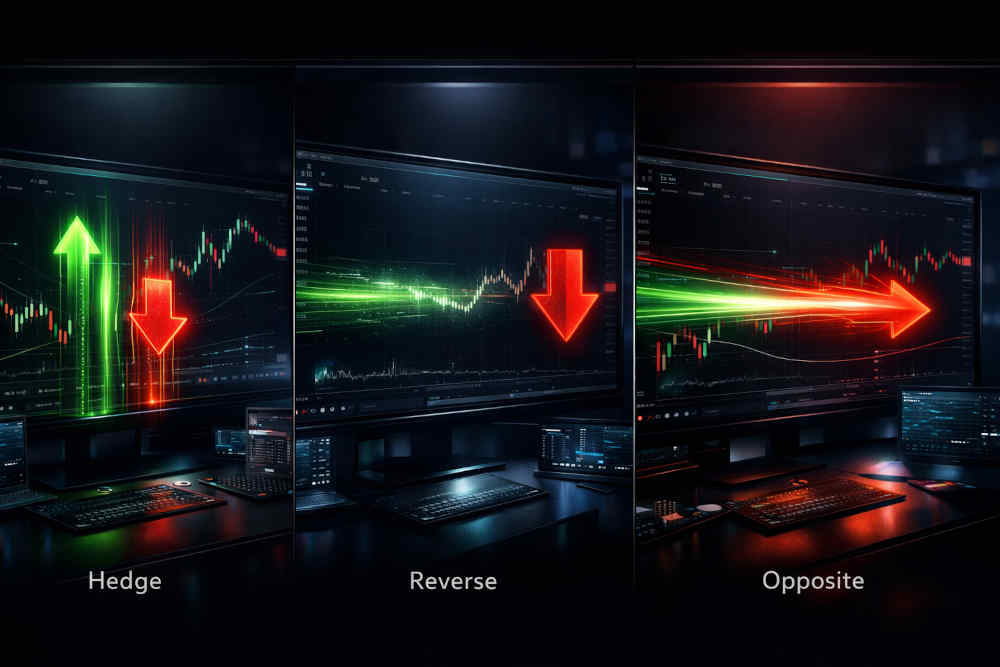 **Opposite trading signals are one of the most important problems in automated trading.** If your system already has a BUY position open and a new SELL signal arrives, what should happen? Should the bot keep both positions, close the current one, or immediately flip to the opposite side?
AlgoWay solves this with five execution behaviors: **Hedge Mode**, **Reverse Mode**, **Opposite Mode**, **Cutting Mode**, and **Inverse Mode**. These modes define how AlgoWay handles BUY and SELL signals from TradingView alerts, Telegram signals, Pine Script strategies, API messages, or any other supported signal source.
This page explains how each mode works, when to use it, and how to choose the correct behavior for automated trading, webhook execution, MetaTrader 5, crypto exchanges, and other supported AlgoWay destinations.
Last updated: 2026-07-03 • Author: AlgoWay
## Why Opposite Signal Handling Matters in Automated Trading
Manual traders can look at a chart and decide what to do when the market changes direction. Automated trading systems need the rule in advance. Without a clear rule, the same SELL signal can mean different things:
- close the current BUY only;
- open a new SELL while the BUY remains open;
- close the BUY and immediately open a SELL;
- reduce the current position size;
- ignore the signal because the account mode does not allow that behavior.
That is why AlgoWay separates the logic into clear modes. The signal source only says what it wants to do. The selected AlgoWay mode defines how that signal is executed against the current open position.
## Quick Answer: Hedge vs Reverse vs Opposite vs Cutting vs Inverse Mode
Assume a BUY position is already open on `EURUSD`, `BTCUSDT`, or another symbol. Then a new SELL signal arrives.
| AlgoWay Mode | What happens to the BUY? | What happens to the SELL? | Best use case |
|-------------------|------------------------------------|---------------------------------------------------------------------|-------------------------------------------------------------------------|
| **Hedge Mode** | BUY remains open | New SELL opens separately | Strategies that allow long and short exposure at the same time |
| **Reverse Mode** | BUY closes | No new SELL opens immediately | Opposite signal is treated as exit only |
| **Opposite Mode** | BUY closes | New SELL opens immediately | Strategy must flip direction on the same signal |
| **Cutting Mode** | Duplicate same-side BUY is ignored | Opposite SELL can cut exposure and switch direction where supported | Strategies that must avoid stacking repeated same-side entries |
| **Inverse Mode** | Incoming BUY is treated as SELL | Incoming SELL is treated as BUY | Contrarian systems that intentionally trade against the original signal |
In simple words: **Hedge keeps both sides, Reverse exits and waits, Opposite flips immediately, Cutting avoids duplicate same-side entries, and Inverse turns BUY into SELL and SELL into BUY before execution.**
## Important Terminology: “Reverse” Means Different Things on Different Platforms
Many trading platforms use the word “reverse” to mean “close the current position and open the opposite one.” In AlgoWay, the logic is more specific:
- **Reverse Mode in AlgoWay** means the opposite signal closes the current position and waits for a new entry.
- **Opposite Mode in AlgoWay** means the opposite signal closes the current position and immediately opens the opposite side.
- **Cutting Mode in AlgoWay** means repeated same-side signals are ignored, while opposite-side signals can cut current exposure and switch direction where the destination supports it.
- **Inverse Mode in AlgoWay** means the incoming direction is inverted first: BUY becomes SELL, and SELL becomes BUY.
This distinction is important because platform terminology is not always consistent. Some brokers and exchanges call the direct flip behavior “reverse position”, while AlgoWay separates “close only”, “close plus open opposite”, and duplicate-signal prevention into different modes so the execution rule is explicit. Inverse Mode is different again: it is not a close rule; it is a signal-direction transformation.
## Hedge Mode: Keep Both BUY and SELL Positions Open
**Hedge Mode** allows opposite positions on the same symbol to exist at the same time. If a BUY is already open and a SELL signal arrives, AlgoWay keeps the BUY and opens a separate SELL.
### Example
- You already have a **BUY** on `EURUSD`.
- A new **SELL** signal arrives.
- AlgoWay keeps the BUY open.
- AlgoWay opens a separate SELL position.
**Result:** BUY and SELL can exist on the same symbol at the same time.
### When Hedge Mode Makes Sense
Use Hedge Mode when your strategy intentionally allows both directions. This can be useful for grid systems, partial protection logic, independent long/short strategies, multi-signal portfolios, or strategies where one signal should not automatically close another signal.
Hedge Mode is also useful when separate systems are trading the same symbol but should remain independent. One strategy may be long while another strategy is short, and each strategy can manage its own exit logic.
### When Hedge Mode Can Be Dangerous
Hedge Mode can increase exposure if you do not understand how the strategy behaves. A trader may think the system “changed direction”, while in reality it now holds both directions. That can increase fees, margin usage, and confusion in logs.
Before using Hedge Mode, confirm that the destination platform or broker account supports hedging. Some platforms use hedge mode, some use one-way mode, and some use netting-style position accounting.
## Reverse Mode: Close the Current Position and Wait
**Reverse Mode** in AlgoWay treats an opposite signal as an exit signal. It closes the current position, but it does not immediately open a new position in the opposite direction.
### Example
- You already have a **BUY** on `EURUSD`.
- A new **SELL** signal arrives.
- AlgoWay closes the BUY.
- AlgoWay does not open a SELL immediately.
- A SELL can open later only when a valid new entry signal is triggered.
**Result:** the current trade is closed, and the system waits for the next valid entry.
### When Reverse Mode Makes Sense
Use Reverse Mode when an opposite signal means “exit the current trade”, not “open the other side right now”. This is common for conservative strategies where a bearish signal should close a long position, but a separate short-entry confirmation is required before opening a SELL.
Reverse Mode helps avoid immediate whipsaw. If your strategy often flips during ranging markets, closing first and waiting for confirmation may be safer than entering the opposite side instantly.
### Reverse Mode vs Close Signal
A direct close signal tells AlgoWay to close the position. Reverse Mode is different because it defines how AlgoWay reacts when the incoming signal is opposite to the current open position. It is a position management rule, not only a single command.
## Opposite Mode: Close and Immediately Flip Direction
**Opposite Mode** is the direct flip behavior. When an opposite signal arrives, AlgoWay closes the current position and immediately opens a new position in the opposite direction.
### Example
- You already have a **BUY** on `EURUSD`.
- A new **SELL** signal arrives.
- AlgoWay closes the BUY.
- AlgoWay opens a SELL immediately.
**Result:** the system flips from BUY to SELL on the same opposite signal.
### When Opposite Mode Makes Sense
Use Opposite Mode when your strategy is designed to always be in the market or to flip direction when the signal changes. Trend-following systems, reversal systems, and some TradingView strategy alerts often work this way.
Opposite Mode is useful when the same signal should act as both an exit and a new entry. For example, a bearish signal closes the BUY and opens a SELL immediately.
### When Opposite Mode Can Be Dangerous
Opposite Mode can overtrade in sideways markets. If the signal flips often, the system can close and reopen positions repeatedly. This can increase fees, spread costs, and slippage.
Before using Opposite Mode live, test how your strategy behaves during choppy market conditions.
## Cutting Mode: Avoid Duplicate Same-Side Entries
**Cutting Mode** is designed to prevent duplicate entries in the same direction. If a position already exists on the same side, AlgoWay does not open another position from a repeated signal.
### Example
- You already have a **BUY** on `EURUSD`.
- A new **BUY** signal arrives.
- AlgoWay ignores the duplicate BUY signal.
- No additional BUY position is opened.
``` text
Current position: BUY EURUSD 1.00
New signal: BUY EURUSD 1.00
Result: duplicate BUY signal is ignored
```
When an opposite signal arrives, Cutting Mode can use the opposite-side volume to close the current exposure and open the new direction.
``` text
Current position: SELL EURUSD 1.00
New signal: BUY EURUSD 1.00
Result: SELL exposure is closed and BUY direction is opened
```
**Important:** Cutting Mode is available only where the destination platform and account model support this execution behavior. It is not available on all platforms.
### When Cutting Mode Makes Sense
Use Cutting Mode when your system should avoid stacking repeated signals in the same direction. This is useful for strategies where one active BUY or SELL position is enough, and repeated same-side alerts should not increase exposure.
Cutting Mode can help keep position logic cleaner when the strategy sends repeated confirmation signals while the current direction is already active.
## Inverse Mode: BUY Becomes SELL and SELL Becomes BUY
**Inverse Mode** is designed for traders who intentionally want to trade the signal from the other side. In this mode, AlgoWay receives the original direction and flips it before execution: a BUY command becomes a SELL command, and a SELL command becomes a BUY command.
This mode is useful for contrarian setups, reverse-signal testing, failed-signal strategies, or cases where a user follows a signal source but wants to execute the opposite direction on the destination account.
### Example
- TradingView sends **BUY EURUSD**.
- AlgoWay applies **Inverse Mode**.
- The destination receives **SELL EURUSD**.
``` text
Incoming signal: BUY EURUSD 1.00
Inverse result: SELL EURUSD 1.00
```
- TradingView sends **SELL XAUUSD**.
- AlgoWay applies **Inverse Mode**.
- The destination receives **BUY XAUUSD**.
``` text
Incoming signal: SELL XAUUSD 0.10
Inverse result: BUY XAUUSD 0.10
```
**Result:** the direction of the entry signal is flipped before the order is sent to the destination platform.
### What Happens to Flat and Close Signals?
`flat` and `close` are not directional entry signals, so they should remain close-type actions. Inverse Mode is meant to flip BUY and SELL direction, not to turn a close command into an entry.
### When Inverse Mode Makes Sense
Use Inverse Mode only when the strategy is intentionally designed to trade against the incoming signal. It can be useful when testing whether a poor signal source performs better in reverse, when building a contrarian model, or when a copied signal uses the opposite side of the execution logic you want.
### When Inverse Mode Can Be Dangerous
Inverse Mode can be confusing if enabled accidentally. A trader may expect a BUY alert to open a BUY, but the destination will receive a SELL. Always verify the selected mode in the webhook settings or inside the JSON override before live execution.
### Using trade_type = inverse in JSON
If the webhook route supports per-alert mode override, you can send `trade_type` directly inside the JSON. When `trade_type` is present, that specific order uses the mode from the JSON. If it is missing, AlgoWay uses the Trade Type selected in the webhook settings.
``` text
{
"platform_name": "metatrader5",
"ticker": "EURUSD",
"order_action": "buy",
"order_contracts": "0.10",
"trade_type": "inverse"
}
```
In this example, the alert says `buy`, but `trade_type: inverse` makes AlgoWay send the opposite direction to the destination.
## One-Way Mode, Hedge Mode and Netting: Platform Differences
AlgoWay modes control the execution rule inside AlgoWay, but the destination platform also matters. A crypto exchange, MetaTrader 5 account, or broker platform may have its own position accounting model.
### One-Way Mode
In one-way mode, a symbol normally holds one net direction at a time. A new opposite order may reduce, close, or reverse the current position depending on the platform and order size.
### Hedge Mode
In hedge mode, long and short positions can exist separately on the same symbol. This is common in futures trading and in MetaTrader 5 hedging accounts.
### Netting Accounts
For account-level position arithmetic and the difference between an opposite entry and a partial close, see [MT5 Netting vs Hedging: What Opposite Trades Really Do](https://algoway.trade/blog/mt5-netting-hedging-opposite-trades.html).
In a netting model, multiple trades on the same symbol are merged into one net position. A trade in the opposite direction can reduce or close the existing position instead of opening a separate opposite trade.
Because of these platform differences, always match your AlgoWay mode with the real account mode on the destination platform. If you use Cutting Mode, confirm that this behavior is supported for that destination before live execution. If you use Inverse Mode, also remember that the incoming signal is deliberately flipped before it reaches the final execution behavior.
## How This Works with TradingView Alerts
TradingView can send signals through alerts and webhook messages. A strategy alert may output values such as long, short, flat, buy, sell, or a custom JSON message. AlgoWay receives that message and applies the selected execution mode.
Example TradingView strategy message:
``` text
{
"platform_name": "metatrader5",
"ticker": "{{ticker}}",
"order_contracts": "{{strategy.order.contracts}}",
"order_action": "{{strategy.market_position}}"
}
```
If the current position is BUY and TradingView sends a SELL or short-style signal, AlgoWay uses the selected mode to decide whether to hedge, close only, flip, or invert the incoming direction before execution.
## How This Works with Telegram Signals and Other Sources
The same concept applies when the signal source is not TradingView. A Telegram channel, API integration, manual webhook test, or another supported source can send a BUY or SELL command. AlgoWay still needs to decide how this new command interacts with the current open position.
Example human-style Telegram signal after AI processing:
``` text
SELL XAUUSD
SL 2365
TP 2320
```
If a BUY on `XAUUSD` is already open, AlgoWay uses Hedge, Reverse, Opposite, Cutting, or Inverse behavior according to the selected mode and platform capabilities.
## Mode Selection Guide
Use this practical guide when selecting a mode:
| Question | Recommended mode |
|----------------------------------------------------------------------|------------------------------------------------------|
| Should BUY and SELL stay open at the same time? | **Hedge Mode** |
| Should an opposite signal only close the current trade? | **Reverse Mode** |
| Should an opposite signal close and immediately open the other side? | **Opposite Mode** |
| Should repeated same-side signals be ignored? | **Cutting Mode** |
| Should every BUY be executed as SELL and every SELL as BUY? | **Inverse Mode** |
| Does the destination platform allow only one direction per symbol? | Check platform one-way/netting rules before choosing |
| Does the strategy flip often in sideways markets? | Test Reverse Mode before using Opposite Mode live |
## Common Mistakes with Opposite Signal Automation
### Mistake 1: Thinking “Reverse” Always Means Flip
On some platforms, reverse means close and open the opposite side. In AlgoWay, the direct flip behavior is called Opposite Mode. Reverse Mode closes and waits. Inverse Mode is not the same as either of them: it changes the signal direction first, so a BUY alert is treated as SELL and a SELL alert is treated as BUY.
### Mistake 2: Using Hedge Mode on a One-Way Account
If the destination account does not support separate long and short positions, Hedge Mode may not behave as expected. Check the account mode before live execution.
### Mistake 3: Letting a Strategy Flip Too Often
Opposite Mode can be powerful for clear trend systems, but expensive in choppy markets. Backtest and forward-test the logic before using larger size.
### Mistake 4: Ignoring Position Size
If the opposite signal size is different from the current open position size, the result may depend on the platform, account mode, and AlgoWay configuration. Test with controlled size first.
### Mistake 5: Mixing Multiple Signal Sources Without a Rule
If TradingView, Telegram, and manual tests all send commands to the same symbol, the mode must be selected carefully. Otherwise one source can close or flip a position created by another source.
### Mistake 6: Assuming Cutting Mode Exists on Every Platform
Cutting Mode depends on destination platform behavior and account model. Do not assume it is available everywhere. Check platform support before using it in live automation.
### Mistake 7: Enabling Inverse Mode by Accident
Inverse Mode deliberately trades the other side of the signal. If a user expects BUY to remain BUY, this mode should not be enabled. Use it only when reverse-signal execution is intentional.
## Examples: BUY Position Receives a SELL Signal
### Hedge Mode Example
``` text
Current position: BUY EURUSD 1.00
New signal: SELL EURUSD 1.00
Result: BUY remains open, SELL opens separately
```
### Reverse Mode Example
``` text
Current position: BUY EURUSD 1.00
New signal: SELL EURUSD 1.00
Result: BUY closes, no SELL opens immediately
```
### Opposite Mode Example
``` text
Current position: BUY EURUSD 1.00
New signal: SELL EURUSD 1.00
Result: BUY closes, SELL opens immediately
```
### Cutting Mode Example
``` text
Current position: BUY EURUSD 1.00
New signal: BUY EURUSD 1.00
Result: duplicate BUY signal is ignored
```
``` text
Current position: SELL EURUSD 1.00
New signal: BUY EURUSD 1.00
Result: SELL exposure is closed and BUY direction is opened
```
**Important:** Cutting Mode is available only where the destination platform and account model support this execution behavior. It is not available on all platforms.
### Inverse Mode Example
``` text
Current signal: BUY BTCUSDT 0.10
Selected mode: Inverse
Result: SELL BTCUSDT 0.10 is sent to the destination
```
``` text
Current signal: SELL XAUUSD 0.10
Selected mode: Inverse
Result: BUY XAUUSD 0.10 is sent to the destination
```
## Related AlgoWay Guides
These guides help complete the automated trading workflow:
- [Advanced risk management and trade automation in AlgoWay](https://algoway.trade/blog/advanced-risk-management-and-trade-automation.html)
- [AlgoWay JSON schema for automated trading webhooks](https://docs.algoway.trade/json-schema-guide.html)
- [How to create a webhook in TradingView](https://docs.algoway.trade/guide-to-creating-a-webhook-in-tradingview.html)
- [TradingView webhook alerts and automation basics](https://algoway.trade/blog/tradingview-free-webhook-alerts.html)
- [AI Telegram signal copier in AlgoWay](https://docs.algoway.trade/ai-telegram-signals-manual.html)
- [How to connect TradingView to MetaTrader 5 with AlgoWay](https://docs.algoway.trade/setting-up-access-for-tradingview-to-metatrader-5.html)
## Final Summary
Opposite signal handling is not a small setting. It defines how the whole automated trading system reacts when the market direction changes.
- **Hedge Mode** keeps the current trade and opens the opposite trade separately.
- **Reverse Mode** closes the current trade and waits for a new entry.
- **Opposite Mode** closes the current trade and immediately opens the opposite side.
- **Cutting Mode** ignores repeated same-side signals and can cut opposite exposure where supported.
- **Inverse Mode** flips the signal direction before execution: BUY becomes SELL and SELL becomes BUY.
**AlgoWay lets you choose the behavior before the signal arrives, so your webhook automation follows a clear execution rule instead of guessing what to do with opposite trading signals, duplicate entries, or inverted trading logic.**
Published: May 12, 2026 Last updated: July 3, 2026